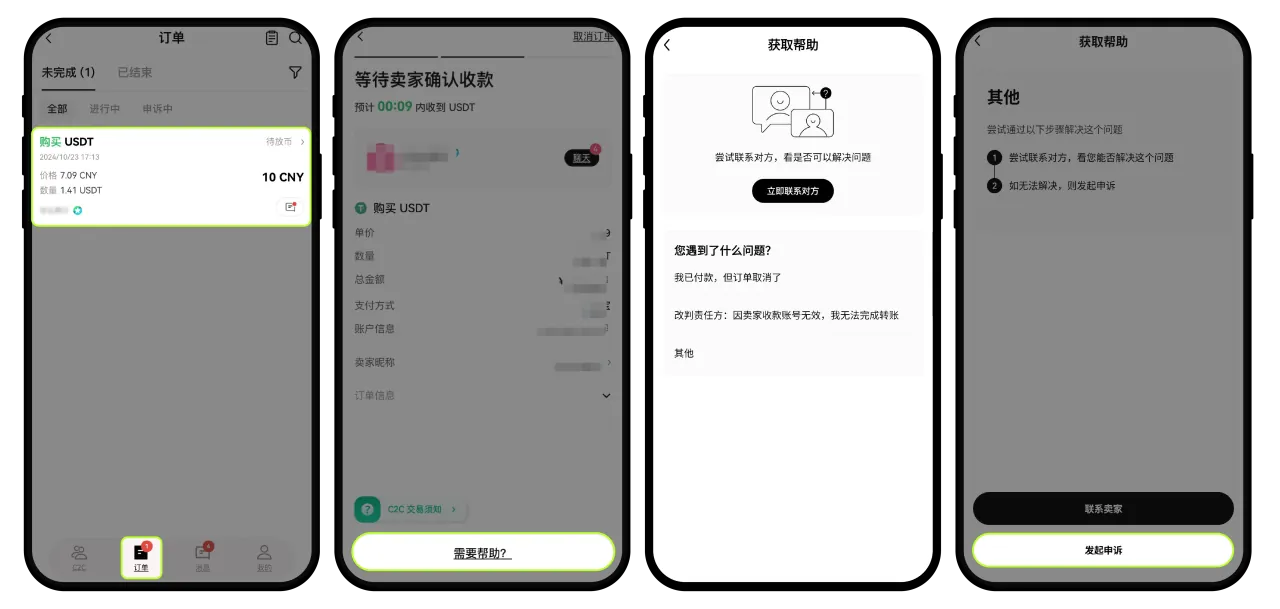

If the seller didn't release crypto for a significant amount of time, you can contact the seller through the order chat. However, if you can't reach the seller, kindly submit a dispute as soon as possible.
Seller forgot to release crypto or hasn't verified the payment
Checklist
- After making the payment to buy crypto, you need to select I have paid on the page so the seller can release the crypto to you.
- On the app: Go to P2P trading > Orders > Select the order in question > Chat
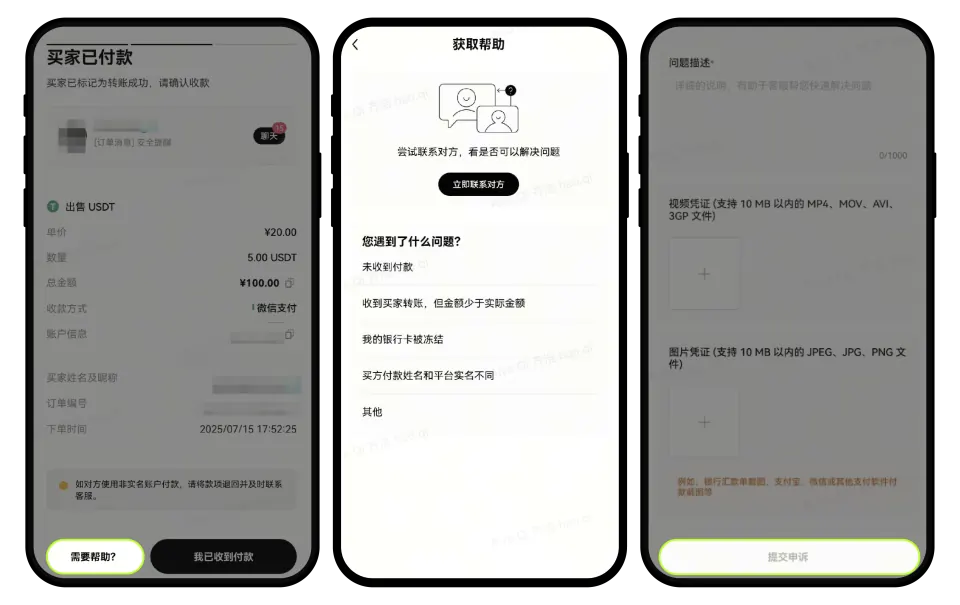
- On the app:
- Go to P2P trading > Orders > Select the order in question > Need Help
- Select the category of your dispute > Upload a screenshot of the buyers' payment proof and add your remarks > Submit Dispute
- On the app:
- Go to P2P trading > Orders > Select the order in question > Need Help
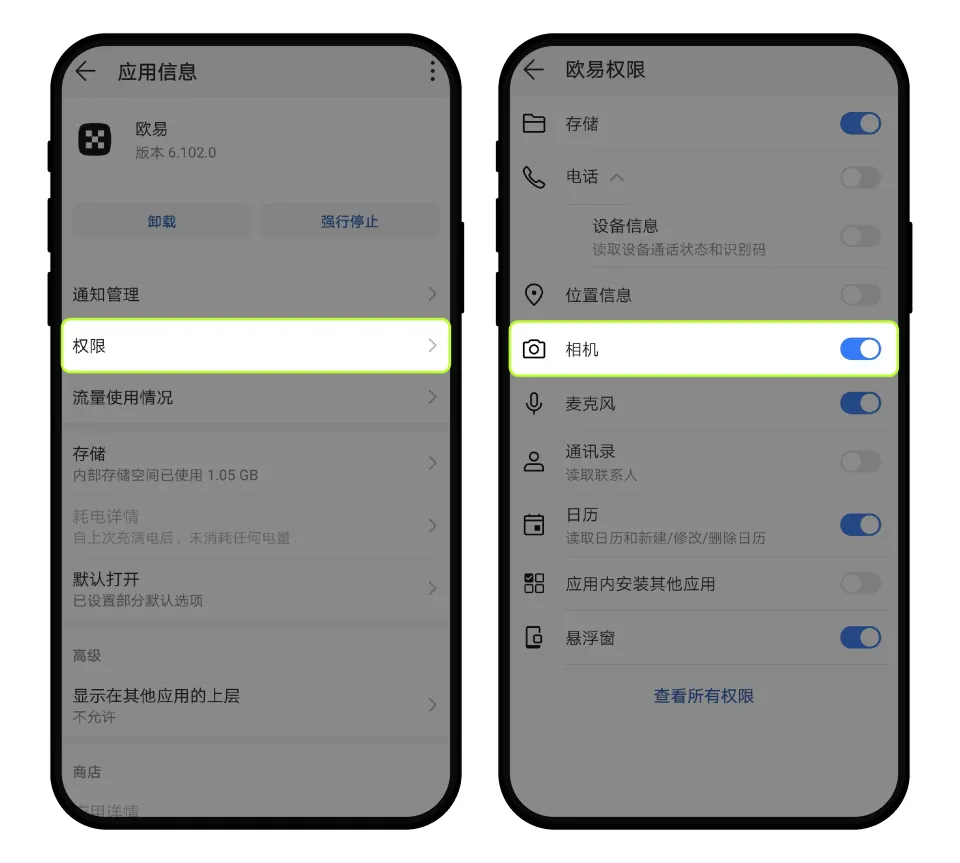
- How do I enable camera and photo permissions to upload relevant documents to customer service ?
Notes
What should I do as a buyer:
You can contact the seller through the order chat.
Notes:
In verification order mode, the seller may require buyers to provide a screenshot of their payment account’s transaction details.

Details follow the official OKX help article; this page is a learning checklist, not an official mirror.